

Cómo las fotos de coches con IA mejoran la calidad de los leads (no solo el recuento de leads)
Tu lote está lleno. El tráfico de tu sitio web parece sólido. El volumen de leads es decente. Pero cuando tu equipo de ventas profundiza en esos leads, una gran parte son curiosos, fantasmas de crédito o personas que buscan un coche que no pueden pagar.
El problema generalmente no es tu inventario o tus precios. Son tus fotos.
Fotos borrosas tomadas con el teléfono con manchas de aceite en el fondo. Iluminación inconsistente que hace que un coche plateado parezca de tres colores diferentes. Ángulos faltantes que dejan a los compradores adivinando sobre la condición. Estas brechas visuales no solo perjudican el compromiso, sino que atraen a los compradores equivocados y repelen silenciosamente a los serios.
La fotografía profesional se suponía que solucionaría esto, pero creó nuevos problemas: el costo por vehículo hace que sea poco práctico fotografiar cada unidad, el tiempo de respuesta añade días a tu tiempo de comercialización, y a menos que tengas un fotógrafo dedicado, la consistencia es una moneda al aire.
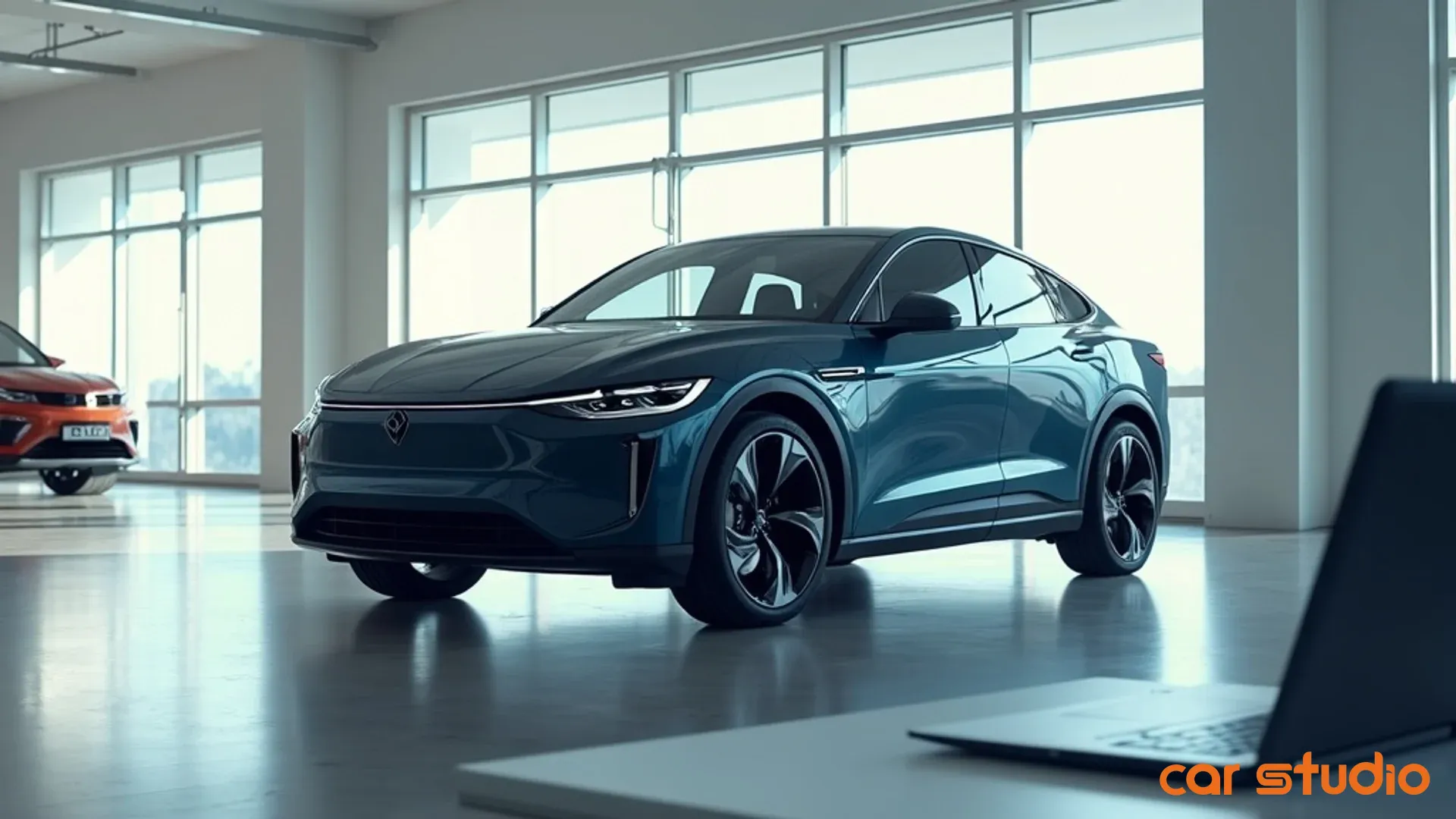
Las herramientas visuales impulsadas por IA cambian la ecuación. Un editor de fotos de coches con IA convierte las capturas inconsistentes del teléfono en imágenes limpias y con calidad de estudio en minutos. El reemplazo de fondo elimina las distracciones. La mejora de fotos con IA corrige la iluminación, agudiza los detalles y mejora la calidad sin necesidad de volver a tomar fotos. El resultado es una presentación uniforme y profesional en cada anuncio que genera confianza en el comprador y filtra el tráfico de baja intención.
Esto no se trata de falsificar nada. Se trata de crear la claridad visual que esperan los compradores serios, y se aplica tanto si eres un concesionario independiente, una gran operación de coches usados, un mercado o un vendedor individual.
Lo que sigue es un manual completo para usar las imágenes de IA para mejorar la calidad de los leads, no solo el recuento de leads: un plan de cuatro pasos, un inicio rápido de 14 días y respuestas a las objeciones que planteará tu equipo.
Qué son las imágenes de IA (y qué no son)
Las imágenes de IA para la venta de coches se dividen en tres categorías principales, cada una resolviendo un problema específico.
La mejora de fotos con IA ajusta automáticamente la exposición, el balance de color, el contraste y la nitidez. Una foto tomada bajo el sol intenso del mediodía se corrige para que parezca que fue tomada en condiciones controladas — las sombras debajo de los pasos de rueda se levantan, la profundidad de la pintura mejora y el tipo de arreglos que le tomarían a un editor 20 minutos ocurren en segundos.
El reemplazo de fondo detecta el vehículo y cambia todo lo que hay detrás. Un lote de asfalto agrietado se convierte en un fondo de estudio limpio. Las manchas de aceite, otros coches y el desorden desaparecen, dejando el vehículo como el único foco — exactamente lo que debe ofrecer un anuncio.
El escalado y la eliminación de desenfoque aumentan la resolución y recuperan detalles de imágenes de origen de menor calidad. Si un vehículo fue fotografiado con un teléfono antiguo o tomado de un video, la IA puede llevarlo a una resolución lista para la web sin la pixelación que causaría un simple cambio de tamaño.
Esto es lo que las imágenes de IA no son: no son renderizados CGI, coches falsos o una forma de engañar a los compradores sobre la condición. El vehículo en la foto es la unidad real, capturada por tu equipo. La IA simplemente elimina las variables que matan la confianza — mala iluminación, fondos que distraen, encuadre inconsistente.
Piénsalo como un fotógrafo profesional. No cambian el coche; controlan la luz, el entorno y los ángulos para mostrarlo en su mejor momento. La IA hace lo mismo en la postproducción, a una fracción del costo y el tiempo. Las herramientas de eliminación de objetos son especialmente útiles aquí: un carrito de compras extraviado o un reflejo del fotógrafo en la ventana se pueden borrar limpiamente, y la IA rellena el hueco para que la imagen se mantenga coherente.
Consejo profesional: La mejora de IA funciona mejor cuando la foto de origen es al menos decente. La basura que entra, basura que sale todavía se aplica — entrena a tu equipo para capturar ángulos limpios y estables y deja que la IA se encargue del resto.
La mayor ventaja es la consistencia. Cada vehículo recibe el mismo tratamiento, por lo que un compacto de nivel de entrada obtiene la misma calidad visual que una camioneta premium. Esa uniformidad señala profesionalismo y moldea cómo los compradores perciben toda tu operación.
El vínculo directo: mejores fotos, leads de mayor intención
La calidad del lead es una función de la intención y la disposición del comprador. Los leads de alta calidad saben lo que quieren, pueden pagarlo y están cerca de tomar una decisión. Los leads de baja calidad están navegando, soñando o buscando ofertas que nunca cerrarán. Tus imágenes influyen en qué tipo de persona envía una consulta.
Los anuncios consistentes y profesionales generan confianza. Cuando cada vehículo parece haber sido fotografiado por el mismo equipo, los compradores perciben tu operación como organizada y orientada a los detalles. Los navegadores casuales que asumen que un anuncio descuidado significa un servicio descuidado se autoexcluyen; los compradores serios que comparan múltiples vendedores usan la consistencia visual como un indicador de la calidad operativa.
Las imágenes claras y detalladas reducen la incertidumbre. La incertidumbre genera dudas y consultas vagas y de bajo compromiso. Si un comprador no puede ver la condición de los asientos, o bien omite el anuncio o envía un lead vago de "¿todavía está disponible?". Las fotos nítidas y mejoradas muestran los detalles que las fotos del teléfono no captan — costuras en la tapicería, condición de las ruedas, profundidad de la pintura — para que los compradores avancen con confianza en lugar de buscar información.
Los fondos limpios eliminan las señales de riesgo. Un lote desordenado, daños visibles en un coche cercano o una instalación descuidada en el encuadre desencadenan dudas subconscientes, incluso cuando tu operación es sólida. El reemplazo de fondo te da una pizarra limpia, por lo que las señales ambientales que asustan a los compradores nunca se registran.
La transparencia atrae a compradores serios y repele a los que hacen perder el tiempo. Suena contraintuitivo, pero mostrar un vehículo de forma clara y precisa reduce los leads de baja calidad. Cuando las fotos son nítidas, bien iluminadas y completas, los compradores que no encajan se autoexcluyen — pueden ver que no es lo que quieren y siguen adelante. Los leads que obtienes provienen de personas que miraron de cerca, les gustó lo que vieron y están listos para hablar.
Consejo profesional: Rastrea las tasas de lead a cita y de cita a venta por calidad de anuncio. Es probable que encuentres que los vehículos con fotos mejoradas convierten mejor en etapas posteriores, incluso cuando el volumen total de leads se mantiene estable.
El caso de negocio es simple: si generas 100 leads al mes y 40 son basura, tu equipo pierde tiempo en 40 callejones sin salida. Si mejores imágenes cambian eso a 90 leads con solo 20 consultas basura, has aumentado el tiempo de venta productivo mientras reduces el esfuerzo desperdiciado — incluso si el recuento de leads brutos disminuyó. Esa es la compensación que vale la pena hacer.
Manual de implementación: un plan de 4 pasos
La mayoría de los vendedores fallan en la adopción de la IA porque la tratan como una compra de herramientas en lugar de un cambio de proceso. Comprar un editor de fotos con IA no soluciona tu comercialización; reconstruir tu flujo de trabajo en torno a imágenes consistentes y mejoradas sí lo hace.
Paso 1: Audita tu flujo de trabajo visual actual
Traza lo que está sucediendo ahora, desde la llegada del vehículo hasta el anuncio publicado. ¿Quién toma las primeras fotos, con qué dispositivo, cuántos ángulos y dónde van los archivos? ¿Alguien edita antes de subir, y cuánto tiempo lleva? ¿Tienes una lista de tomas, y se aplica? ¿Cuántos días pasan desde la llegada hasta un anuncio completamente comercializado, y dónde están los cuellos de botella?
Luego, califica la calidad honestamente. Saca 20 anuncios aleatorios y cuenta cuántos tienen problemas de iluminación, fondos que distraen o ángulos faltantes. Esto revela dónde la IA tendrá el mayor impacto — si el tiempo de edición es el cuello de botella, un editor independiente lo resuelve; si la captura es inconsistente, necesitas una herramienta que aplique estándares durante la carga.
Consejo profesional: Involucra a quien maneje los leads entrantes en la auditoría. Ellos saben qué anuncios producen buenos leads y cuáles atraen a los curiosos — esa retroalimentación establece tus prioridades.
Paso 2: Elige tu conjunto de herramientas de IA
Tienes tres caminos.
La edición manual (Photoshop a mano) es lenta, costosa e inconsistente a menos que tengas un experto dedicado. La IA hace que esto sea obsoleto para la mayoría de los vendedores.
Los editores de fotos con IA independientes aplican mejoras a las imágenes cargadas: dispara, carga, mejora en unos pocos clics, descarga. Asequible y fácil de probar; la desventaja es un paso adicional en el flujo de trabajo que alguien debe asumir.
Las plataformas de IA integradas combinan la captura, la mejora y la publicación en un solo sistema — guiando la lista de tomas, mejorando automáticamente y enviando las imágenes terminadas directamente a tus anuncios. La mayor consistencia y el menor trabajo manual, pero un compromiso mayor.
Adapta la elección a tu escala. Un pequeño vendedor que mueve unas pocas docenas de unidades al mes debería comenzar con un editor independiente, probarlo en 10 vehículos y medir las ganancias de tiempo y calidad. Una operación de volumen medio puede usar una herramienta independiente, pero necesita una persona responsable del tiempo de respuesta. Un gran grupo de concesionarios o una operación de alto volumen se beneficia de una plataforma integrada — la consistencia y la eficiencia lo justifican. Herramientas como Car Studio AI manejan todo el proceso, desde la captura guiada hasta la mejora y las actualizaciones automatizadas de anuncios, eliminando los pasos manuales que crean retrasos y errores.
Paso 3: Define tu SOP de captura
La IA no puede rescatar una foto de origen terrible, por lo que la captura sigue siendo importante — simplemente ya no requiere condiciones perfectas o una técnica experta.
Crea una lista de tomas que cubra todos los ángulos que esperan los compradores: tres cuartos delantero y trasero, frontal y trasero de frente, ambos perfiles laterales, compartimento del motor, maletero, asientos delanteros y traseros, salpicadero, odómetro y características clave como un techo solar o llantas mejoradas. Estandariza la configuración — la resolución más alta, HDR activado si está disponible, sin zoom digital, vehículo centrado con margen para recortar. Dispara con luz uniforme cuando sea posible (nublado es ideal; bajo el sol directo, ve temprano por la mañana o al final de la tarde). Agrega una puerta de calidad: antes de que las fotos salgan del lote, alguien confirma que cada ángulo requerido está presente y enfocado. Documenta todo en una guía de una página con fotos de ejemplo.
Consejo profesional: Un simple gimbal o trípode para teléfono elimina las tomas inestables y hace que cada mejora de IA posterior sea más efectiva.
Paso 4: Integra y capacita a tu equipo
La tecnología rara vez falla — la adopción sí. Tu equipo se resistirá a un nuevo proceso a menos que sea más fácil que el anterior.
Comienza con un piloto de 10 a 20 vehículos e involucra a las personas que usarán el sistema a diario; déjalos ver el antes y el después y el tiempo ahorrado de primera mano. Aborda las preocupaciones en el acto — simplifica los pasos o proporciona una hoja de trucos si parece complicado, y muestra cómo la IA maneja el trabajo tedioso para que mantengan el control de los ángulos y la composición. Conecta la herramienta a tus sistemas existentes (una estructura de carpetas compartidas para un editor independiente, o sincronización de inventario/sitio web para una plataforma). Establece un estándar de tiempo de respuesta claro — por ejemplo, cada vehículo completamente comercializado dentro de las 24 horas posteriores a la llegada — y haz un seguimiento. Celebra las victorias cuando un anuncio mejorado produce un lead sólido o se vende rápidamente; el refuerzo positivo impulsa la adopción mejor que los mandatos.
Objeciones y trampas
"Es demasiado técnico para mi equipo." Los editores de IA modernos están diseñados para no expertos — la mayoría son tres clics: cargar, elegir un ajuste preestablecido, descargar. Si tu equipo puede usar un teléfono, puede usar la herramienta. Para una curva de aprendizaje nula, elige una plataforma que mejore automáticamente en segundo plano.
"Perderemos la esencia de nuestra marca." La IA impone consistencia dentro de tu marca, no en contra de ella. Guarda ajustes preestablecidos personalizados para que tu estilo se aplique con un solo clic. Estás automatizando el trabajo repetitivo, no entregando el control creativo a un robot.
"El costo es demasiado alto." Compáralo con tu proceso actual. Pagar a un fotógrafo por vehículo en todo un inventario suma rápidamente; un editor independiente o una plataforma integrada generalmente cuesta una fracción de eso mientras mejora la calidad y la velocidad. La recuperación es rápida — y la mayoría de las herramientas ofrecen una prueba gratuita para que puedas probarlo antes de comprometerte.
"¿Qué pasa si no se integra con nuestros sistemas?" Confirma el soporte de la pila tecnológica antes de comprometerte. La mayoría de las plataformas modernas ofrecen API o integraciones directas; con un editor independiente, la integración es mínima porque solo estás intercambiando el paso de edición. Para plataformas más grandes, solicita una llamada de descubrimiento técnico para mapearlo primero.
"¿Y si la IA comete errores?" No es perfecta — el reemplazo de fondo puede dejar artefactos en fotos de origen de bajo contraste. La solución es un paso rápido de control de calidad humano antes de que algo se publique. La mayoría de los errores son obvios y tardan segundos en detectarse, y se vuelven más raros a medida que mejora tu proceso de captura.
"¿Pensarán los compradores que estamos ocultando algo?" Los compradores esperan fotos profesionales y no les importa si usaste una cámara cara o IA, siempre que las imágenes sean precisas. No estás cambiando el vehículo — estás eliminando el ruido visual que lo oscurece. Cuando el coche coincide con sus fotos en persona, la confianza se refuerza.
Victorias rápidas en 14 días
No necesitas una revisión completa para ver resultados. Aquí tienes un sprint de dos semanas.
Días 1–3 — Prueba en 5 vehículos. Elige cinco unidades de diferentes rangos de precios, fotografíalas con tu proceso existente y procesa las fotos a través de un editor de IA (reemplazo de fondo, mejora, escalado cuando sea necesario). Compara el antes y el después, recopila comentarios del equipo y cronometra cada vehículo.
Días 4–7 — Actualiza tus 10 anuncios con mayor tráfico. Identifica tus anuncios más vistos de los últimos 30 días y reemplaza sus fotos con versiones mejoradas — cada ángulo cubierto, cada imagen nítida y sin distracciones. Publica y anota la fecha.
Días 8–14 — Mide el cambio. Rastrea el tiempo en la página, las interacciones de la galería de fotos, las consultas y la calidad de los leads para los anuncios actualizados, comparándolos con su rendimiento anterior y con anuncios similares aún no actualizados. Busca patrones: más tiempo en la página, más fotos vistas, más consultas calificadas.
Al final de dos semanas, tendrás datos que muestran si las imágenes de IA mueven la aguja. Si los resultados son positivos, amplía a 50 vehículos; si son mixtos, ajusta y vuelve a probar. La clave es medir lo correcto — no el recuento bruto de leads, sino cuántos leads de anuncios mejorados se convierten en citas y las citas en ventas.
Consejo profesional: Etiqueta los anuncios mejorados en tu CRM y análisis para que puedas aislar su rendimiento en los informes.
Tus anuncios son tu sala de exposición
Cada comprador recorre tus anuncios antes de contactarte. Si esos anuncios son inconsistentes, poco claros o poco profesionales, pierdes compradores serios frente a vendedores que presentan mejor.
Las imágenes de IA resuelven el problema central: comercialización consistente y profesional para cada vehículo sin el costo, el tiempo o la complejidad de la fotografía tradicional. Un editor de fotos de coches con IA convierte las capturas del teléfono en imágenes con calidad de estudio en minutos; el reemplazo de fondo elimina las distracciones; la mejora corrige la iluminación y agudiza los detalles. El resultado es una presentación uniforme que genera confianza, atrae a compradores con mayor intención y filtra a los curiosos.
El camino es sencillo: audita tu flujo de trabajo, elige un conjunto de herramientas que se adapte a tu volumen, define un SOP de captura, integra y capacita a tu equipo, y aborda las objeciones con datos piloto. Comienza poco a poco, mide y escala lo que funciona.
Compruébalo en acción — prueba Car Studio AI gratis. Sin tarjeta de crédito, sin suscripción.
Para concesionarios · mercados · OEM · vendedores individuales