
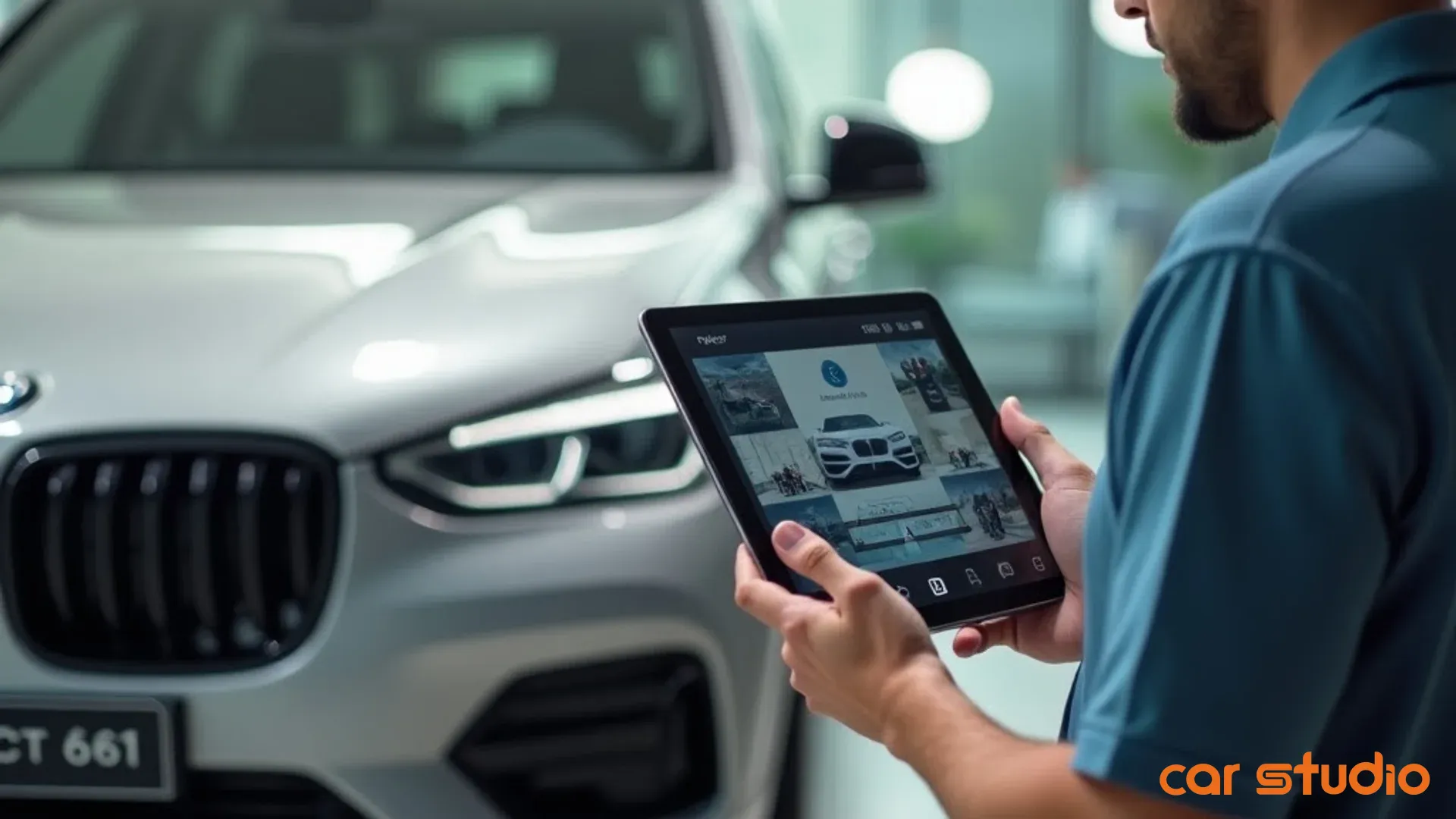
Редактор фото автомобилей с ИИ — Полное руководство по рабочему процессу дилерского центра
Создайте масштабируемый рабочий процесс визуального мерчандайзинга дилерского центра с помощью ИИ-редактирования фото автомобилей. Стандартизируйте снимки, автоматизируйте фон и сократите время выхода на рынок до 24 часов.
Каждый дилер знает, что его страницы с описанием транспортных средств (VDP) должны выглядеть лучше. Немногие имеют систему, которая действительно обеспечивает это — последовательно, в масштабе, без узких мест.
Проблема не в усилиях. Проблема в рабочем процессе. Когда фотосъемка происходит от случая к случаю, редактирование выполняется вручную, а синдикация осуществляется по одному объявлению за раз, визуальное качество становится невозможным поддерживать по всему инвентарю. Результатом является непоследовательность, которая подрывает доверие покупателей еще до того, как появится потенциальный клиент.
Решение — это рабочий процесс, основанный на четырех столпах, построенный вокруг ИИ-редактирования фото автомобилей — тот, который стандартизирует съемку, автоматизирует улучшение, масштабируется с объемом приобретений и возвращает данные о производительности для постоянного улучшения. Вот как его построить.
Четыре столпа масштабируемого рабочего процесса визуального мерчандайзинга
Столп 1: Единые стандарты фото- и видеосъемки
Это ваша основа. Каждому автомобилю нужен определенный список снимков независимо от года выпуска, марки или ценовой категории — с указанием точных углов, требований к освещению, стандартов фона и последовательности съемки.
Последовательность не означает жесткость. Она означает создание предсказуемости для покупателей. Когда покупатели могут сравнивать автомобили «яблоко к яблоку» по всему вашему инвентарю, они дольше остаются на вашем сайте и отправляют больше запросов.
Ваши стандарты съемки должны охватывать внешние углы со всех четырех сторон, крупные планы колес и значков, снимки интерьера обоих рядов, приборной панели и информационно-развлекательной системы, багажного отделения и моторного отсека. Для более дорогого инвентаря добавьте видеообход и панорамные снимки интерьера.
Цель — повторяемость. Ваша команда должна быть в состоянии выполнить всю последовательность менее чем за 15 минут на автомобиль, не задумываясь о том, что будет дальше.
Столп 2: Выделение функций и ценностей на основе данных
Не каждая функция одинаково важна для каждого покупателя. Люк на крыше — это само собой разумеющееся для роскошного внедорожника, но настоящее отличие для компактного седана. Ваш рабочий процесс должен выявлять функции, которые действительно влияют на решения о покупке для каждого сегмента автомобилей.
Извлекайте данные из вашей CRM и аналитики веб-сайта, чтобы понять, что ищут покупатели, о чем они спрашивают и что коррелирует с заключенными сделками. Встройте эту информацию в свой рабочий процесс фотосъемки и описания.
Если «третий ряд сидений» является одним из самых популярных поисковых запросов для вашего инвентаря внедорожников, каждый трехрядный автомобиль должен иметь четкую, хорошо освещенную фотографию этого третьего ряда с выноской. Если «низкий пробег» является фактором ценности, сфотографируйте одометр и prominently выделите его.
Совет профессионала: Запустите 30-дневный отчет по всем входящим вопросам от потенциальных клиентов и возражениям отдела продаж. Найденные закономерности должны напрямую влиять на то, какие функции вы выделяете в своих VDP.
Столп 3: Улучшение и синдикация на основе ИИ
Ручное редактирование фотографий не масштабируется. Если вы удаляете фон и настраиваете экспозицию по одному автомобилю за раз в Photoshop, вы никогда не сможете угнаться за объемом приобретений.
ИИ-редактор фото автомобилей, созданный для дилерских центров, автоматизирует замену фона, применяет единый брендинг, генерирует выноски функций и обрабатывает весь набор фотографий автомобиля за считанные минуты, а не часы. Car Studio AI справляется с этим массово: вы загружаете партию фотографий, система обрабатывает их в соответствии с вашими стандартами бренда, и вы немедленно получаете готовые для публикации в интернете изображения.
Та же логика применима к синдикации. После обработки фотографии должны автоматически поступать на ваш веб-сайт, сторонние сайты объявлений, в социальные сети и электронные кампании. Ручная загрузка создает узкие места и приводит к непоследовательности. Автоматизация устраняет повторяющуюся работу, чтобы ваша команда могла сосредоточиться на контроле качества и стратегических решениях по мерчандайзингу.
Столп 4: Измерение производительности и итерация
Вы не можете улучшить то, что не измеряете. Ваш рабочий процесс нуждается во встроенных циклах обратной связи, связывающих качество визуального мерчандайзинга с бизнес-результатами.
Отслеживайте просмотры VDP, время на странице, вовлеченность в фотогалерею, коэффициенты отправки запросов и то, какие автомобили продаются быстрее. Создайте возможность отвечать на вопросы, например: Продаются ли автомобили с видео быстрее, чем без него? Превосходит ли VDP с 25 снимками VDP с 15 снимками? Какие ракурсы фотографий коррелируют с большим объемом запросов?
Эти данные возвращаются в ваши стандарты съемки и способствуют постоянному совершенствованию. Возможно, фотографии моторного отсека не вызывают интереса у автомобилей стоимостью менее 20 000 долларов — поэтому вы перераспределяете это время на дополнительные ракурсы интерьера. Возможно, фоны в стиле жизни увеличивают вовлеченность VDP на 18% для грузовиков, но не влияют на седаны.
Дилеры, которые выигрывают в долгосрочной перспективе, рассматривают визуальный мерчандайзинг как тестируемую, улучшаемую систему, а не как статический контрольный список.
Пошаговый план реализации
Шаг 1: Подготовка автомобиля к фотосъемке
Прежде чем будет сделана хотя бы одна фотография, автомобиль должен соответствовать вашему стандарту готовности. Именно здесь большинство рабочих процессов терпят неудачу. Фотограф приходит, а машина грязная, крышка бензобака открыта, коврики отсутствуют, а в подстаканнике стоит чашка кофе.
Создайте предфотографический контрольный список, который ваша команда по восстановлению или команда на стоянке заполняет до того, как любой автомобиль попадет в очередь на фотосъемку:
Для более дорогого инвентаря добавьте блеск для шин, защитное средство для приборной панели и окончательный обход, чтобы обнаружить вмятины на дверях или дефекты краски, требующие подкраски перед фотосъемкой.
Эта подготовка должна занимать от 10 до 15 минут и происходить сразу после восстановления. Затем автомобиль перемещается в специально отведенную зону для фотосъемки, где контролируются условия освещения и фона.
Шаг 2: Выполните стандартизированную последовательность из 20 снимков
Ваш основной список снимков, по порядку:
Передняя трехчетвертная со стороны водителя → передняя трехчетвертная со стороны пассажира → задняя трехчетвертная со стороны водителя → задняя трехчетвертная со стороны пассажира → прямо спереди → прямо сзади → профиль со стороны водителя → профиль со стороны пассажира → крупный план переднего колеса → крупный план заднего колеса → передняя решетка и значок → задний значок и выхлоп → открытая дверь водителя, показывающая интерьер → передние сиденья и приборная панель → задние сиденья → багажное отделение или кузов грузовика → включенный экран информационно-развлекательной системы → приборная панель, показывающая пробег → моторный отсек → наклейка на окно, если применимо.
Эта последовательность логически обходит автомобиль, минимизируя лишние движения. Обученный фотограф должен выполнить ее за 12-15 минут. Для премиум-инвентаря добавьте видеообход, панорамный снимок интерьера и детальные снимки уникальных функций.
Совет профессионала: Распечатайте ламинированные карточки со списком снимков и прикрепите их к своему фотооборудованию. Новые члены команды следуют последовательности без запоминания, и последовательность сохраняется, даже когда ваш основной фотограф отсутствует.
Шаг 3: Автоматизируйте обработку фона с помощью ИИ-редактирования фото автомобилей
После того, как фотографии сделаны, они попадают в ваш конвейер обработки. Именно здесь ИИ-редактирование фото автомобилей обеспечивает наибольшую экономию времени.
Car Studio AI автоматически обнаруживает автомобиль, удаляет отвлекающие фоны и заменяет их чистыми нейтральными или брендированными средами. Он регулирует освещение и экспозицию для обеспечения согласованности, обрезает до оптимальных размеров для отображения в Интернете и на мобильных устройствах, а также применяет элементы брендинга вашего дилерского центра и выноски функций — все это массово.
Загрузите партию фотографий. Получите готовые для публикации в интернете изображения за считанные минуты. Ручное редактирование не требуется.
Эта автоматизация критически важна в масштабе. Если вы приобретаете от 30 до 50 подержанных автомобилей в месяц, ручное редактирование создает узкое место, которое задерживает время выхода на рынок и приводит к непоследовательности, поскольку разные члены команды применяют разные стандарты. Результатом является полный, брендированный набор фотографий, готовый к немедленной загрузке и синдикации.
Шаг 4: Создание описаний на основе данных
Описание вашего VDP должно подкреплять то, что показывают фотографии, и выделять функции, которые наиболее важны для покупателей в этом сегменте.
Извлекайте данные об автомобиле из вашей системы управления запасами — спецификации, декодированные по VIN, установленные опции, история обслуживания, выполненные работы по восстановлению. Сравнивайте с рыночными данными, чтобы определить, какие функции являются ценными для конкретной марки, модели и комплектации. Создайте описание, которое начинается с наиболее убедительных атрибутов, включает повествование о состоянии и истории, перечисляет ключевые функции в удобном для сканирования формате и завершается четким призывом к действию.
Многие дилеры теперь используют автомобильный ИИ для автоматического составления описаний, а член команды просматривает и персонализирует результат. Этот гибридный подход поддерживает качество, значительно сокращая время, затрачиваемое на написание с нуля.
Совет профессионала: Проведите A/B-тестирование длины и формата описания. Некоторые сегменты инвентаря лучше конвертируются с кратким, насыщенным пунктами текстом. Другие выигрывают от повествования и позиционирования образа жизни. Пусть данные направляют ваш шаблон.
Распространенные возражения — рассмотрены
«У моей фотокоманды нет времени». Обычно это означает, что ваш процесс неэффективен, а не то, что у вас не хватает мощностей. Если фотосъемка занимает 45 минут на автомобиль, у вас слишком много точек принятия решений и недостаточно стандартизации. Внедрите последовательность из 20 снимков, выделите чистую фотозону, чтобы исключить работу с фоном на источнике, и автоматизируйте все, что не требует человеческого суждения. Большинство дилеров обнаруживают, что они могут сфотографировать три-четыре автомобиля за то время, которое раньше требовалось для одного.
«Автоматизация сделает наш инвентарь шаблонным». Верно обратное. Ручные процессы создают непоследовательность, потому что разные члены команды по-разному интерпретируют «достаточно хорошо». Автоматизация обеспечивает соблюдение ваших стандартов бренда. Car Studio AI позволяет настраивать фоны, элементы брендинга, стили выносок и обработку изображений в соответствии с внешним видом вашего дилерского центра. Вы не отказываетесь от контроля — вы кодируете свои стандарты в повторяющуюся систему.
«У нас будет слишком много разрозненных инструментов». Ищите интегрированные платформы, которые обрабатывают весь рабочий процесс от фотосъемки до синдикации. Ваш идеальный стек напрямую подключается к вашей системе управления запасами, автоматически извлекает данные об автомобиле, обрабатывает фотографии и генерирует описания в одном месте и отправляет готовые VDP на все каналы объявлений без ручных шагов. Более простой инструмент, который ваша команда действительно использует, лучше, чем сложная платформа, которая простаивает.
«Мы не смотрим данные о производительности VDP». Вы бы не игнорировали показатели дней до продажи или валовой прибыли — данные о вовлеченности VDP одинаково ценны. Ваша платформа веб-сайта и сторонние сайты объявлений предоставляют просмотры, время на странице, клики по фотогалерее, воспроизведения видео и отправки форм запросов. Настройте ежемесячный обзор, чтобы определить, какие автомобили получают высокую вовлеченность, но низкую конверсию в запросы (проблема с ценообразованием или описанием) по сравнению с низкой вовлеченностью, несмотря на конкурентоспособные цены (проблема с визуальным мерчандайзингом).
Совет профессионала: Запустите 30-дневный пилотный проект с любым новым инструментом, прежде чем принимать обязательства. Измерьте экономию времени, улучшения качества и принятие командой. Если вы не видите измеримого эффекта в первый месяц, это, вероятно, не подходит.
Быстрые победы: 14-дневный спринт по мерчандайзингу
Дни 1–2 — Проверьте 10 ваших старейших VDP. Выберите свой самый медленно продающийся инвентарь. Откройте каждый VDP и честно оцените его: последовательный фон? все ключевые ракурсы сняты? убедительное описание? Определите самую большую слабость визуального мерчандайзинга для каждого автомобиля и исправьте ее. При необходимости переснимите фотографии. Отслеживайте, улучшается ли вовлеченность в течение следующей недели.
Дни 3–4 — Стандартизируйте фон для 5 новых поступлений. Возьмите следующие пять приобретений и сфотографируйте их, используя последовательный фон. Обработайте эти фотографии с помощью ИИ-редактора фото автомобилей, чтобы обеспечить последовательное освещение и обработку фона. Сравните показатели вовлеченности с вашим существующим инвентарем. Рост просмотров VDP и времени на странице — это ваше доказательство концепции.
Дни 5–7 — A/B-тестирование одного наложения выноски функции. Выберите ценную функцию, распространенную в вашем инвентаре — камеру заднего вида, подогрев сидений, Apple CarPlay, третий ряд сидений. Для половины вашего подходящего инвентаря добавьте наложение выноски к соответствующей фотографии. Оставьте другую половину как есть. Отслеживайте объем запросов для обеих групп в течение 14 дней. Если выноска приводит к заметному улучшению, распространите ее на весь ваш инвентарь.
Дни 8–14 — Установите свои базовые метрики. Прежде чем вносить дальнейшие изменения, задокументируйте текущее среднее количество просмотров VDP, коэффициент конверсии просмотров в запросы и среднее количество дней до продажи. Отслеживайте их еженедельно по мере внедрения улучшений рабочего процесса. Цель — направленное улучшение — если ваш коэффициент просмотров в запросы увеличивается с 2,1% до 2,4%, это значительный рост, который накапливается по всему вашему инвентарю.
Совет профессионала: Поделитесь этими метриками со своей командой. Когда ваш фотограф видит, что улучшенная согласованность снимков приводит к большему количеству запросов, он мотивирован поддерживать новый стандарт. Прозрачность создает подотчетность.
Измерение того, что важно: метрики, связывающие визуальные эффекты с доходом
Вовлеченность VDP против скорости оборачиваемости. Сравните время на странице и вовлеченность в фотогалерею с днями до продажи в вашей системе управления запасами. Продаются ли автомобили с вовлеченностью VDP выше среднего на 10 дней быстрее? Это прямая, измеримая связь между качеством визуального мерчандайзинга и скоростью оборачиваемости — и сильный сигнал о том, какие автомобили нуждаются в корректировке цен, а какие просто нуждаются в лучших фотографиях.
Время выхода на рынок. Сколько времени требуется автомобилю, чтобы перейти от приобретения к активному VDP? Для многих дилеров это три-пять дней потерянной возможности продажи. Оптимизированный рабочий процесс ИИ-редактирования фото автомобилей должен сократить это время до 24 часов или менее: автомобиль прибывает → восстановление → стандартизированная последовательность фотосъемки → автоматизированная обработка → сгенерированное описание → VDP в прямом эфире. Отслеживайте это ежемесячно. Если вы постоянно достигаете 24-часового времени выхода на рынок, вы максимизируете потенциал дохода вашего инвентаря.
Оценка согласованности фотографий против валовой прибыли. Создайте простую систему оценки, оценивающую каждый VDP по качеству фона, согласованности освещения, полноте списка снимков и наличию выносок функций. Оцените ежемесячную выборку, затем соотнесите эти оценки с валовой прибылью от проданных автомобилей. Многие дилеры обнаруживают, что VDP с высокой согласованностью продаются ближе к запрашиваемой цене и приносят на 5-10% больше валовой прибыли — потому что профессиональная презентация создает воспринимаемую ценность и снижает необходимость в переговорах о цене.
Качество запросов и процент явки на встречи. Отслеживайте процент явки на встречи и процент закрытия сделок по источнику запросов. Запросы, сгенерированные из хорошо оформленных VDP, как правило, более квалифицированы, потому что покупатель уже тщательно оценил автомобиль онлайн. Если запросы VDP из вашего лучшего инвентаря показывают на 15% более высокий процент явки, это еще одна прямая связь между визуальными эффектами и доходом.
Совет профессионала: Опросите клиентов, совершивших покупку, и спросите, что повлияло на их решение посетить. Если часто упоминаются «подробные фотографии» или «профессиональная презентация», вы создаете измеримое конкурентное преимущество.
Ваш следующий шаг
Дилеры, которые будут процветать в ближайшие годы, не будут теми, у кого самые большие площадки или самые яркие выставочные залы. Это будут те, кто освоил цифровой мерчандайзинг и построил рабочие процессы, которые превращают каждый автомобиль в источник дохода в момент его поступления.
Ваши VDP — это ваша витрина. Создайте систему, чтобы относиться к ним соответствующим образом.
Начните с одного автомобиля. Внедрите последовательность из 20 снимков. Пропустите ее через ИИ-редактор фото автомобилей. Измерьте результаты. Затем масштабируйте на весь ваш инвентарь.
Готовы увидеть рабочий процесс в действии? Car Studio AI обрабатывает фотографии вашего инвентаря за считанные минуты с последовательным фоном, брендированными наложениями и выносками функций, которые стимулируют вовлеченность. Запланируйте 15-минутную демонстрацию, чтобы узнать, как ведущие дилеры сокращают время выхода на рынок до 24 часов.
Связанное чтение: ИИ-редактор фото автомобилей: Как дилерские центры сокращают время до вывода на рынок и продают автомобили быстрее | ИИ-редактор фото автомобилей: Как превратить лучшие визуальные эффекты в более быстрые продажи | Лучшие практики VDP для высокоэффективных объявлений