


AI Car Photo Editor: A Guide for Dealerships to Boost Sales
Your inventory is aging on the lot. Not because the cars are bad. Not because your pricing is off. But because your photos look like they were shot in a hurry behind the service bay.
Buyers scroll past your listings in seconds. They never click through to your VDP. They never call. And you're left wondering why that certified pre-owned sedan with low miles and a clean history is still sitting at 47 days on lot.
The answer is simpler than you think: your digital merchandising is costing you sales velocity, gross profit, and brand credibility. And the fix doesn't require hiring a full-time photographer or building a photo studio.
It requires understanding how an AI photo editor can transform your workflow, your inventory presentation, and your bottom line.
This guide will show you exactly how to implement AI photo editing at your dealership, overcome internal resistance, measure ROI, and start seeing results in two weeks.
The Hidden Costs of Inconsistent Vehicle Photography
Most dealers track days on lot, turn rate, and gross profit per unit. Few connect those metrics to the quality and consistency of their vehicle photos.
That's a costly blind spot.
Opportunity Cost of Merchandising Delays
Every day a vehicle sits unphotographed or poorly photographed is a day it's invisible to online shoppers. Your recon team finished the car three days ago. It's ready to sell. But it's not online yet because your lot porter is backed up, the lighting was bad yesterday, and your photo vendor only comes twice a week.
Meanwhile, a competing dealer listed a similar unit with sharp, professional images the same day it hit their lot. Guess which one gets the VDP traffic and the inbound lead.
Time to market matters. In most markets, the first week a vehicle is listed generates the highest engagement and the best chance at full asking price. Delay that by even three to five days and you've already lost momentum.
The math is brutal. If your average gross profit per vehicle is $2,500 and slow merchandising adds even two extra days to your turn cycle across 100 units per month, you're tying up capital and losing velocity that compounds across your entire inventory.
Damaging Brand Perception with Inconsistent Listing Quality
Scroll through your current inventory listings. Do the photos look like they came from the same dealership?
Probably not.
Some vehicles have bright, clean backgrounds. Others show oil stains, chain-link fences, or other cars in the frame. Some photos are sharp and well-lit. Others are grainy, shadowy, or washed out by harsh sunlight.
This inconsistency doesn't just look unprofessional. It signals to buyers that your operation is disorganized, that you don't care about details, and that the vehicle itself might not be up to standard.
Luxury and near-luxury buyers are especially sensitive to this. They expect a premium experience from the first click. If your photos look like a budget lot, they'll assume your service department, F&I process, and overall experience match that standard.
You're not just selling cars. You're selling trust. And trust starts with how you present your inventory online.
Low Online Engagement and Reduced VDP Clicks
Third-party listing sites and your own website rely on thumbnail images to drive clicks. If your thumbnails don't stand out, your VDPs don't get views. If your VDPs don't get views, your phones don't ring.
Dealers using high-quality, consistent photos report measurably higher click-through rates from search results to VDPs. The difference isn't small. In some cases, it's a 30% to 50% lift in engagement on the same inventory at the same price.
That's not magic. It's basic consumer behavior. Shoppers click on listings that look professional, trustworthy, and worth their time. They skip the ones that don't.
And once they're on your VDP, photo quality directly impacts time on page, lead form submissions, and calls. Poor photos create doubt. Great photos build confidence and urgency.
How AI Photo Editors Revolutionize Dealership Workflows
An AI photo editor is not a magic button that fixes bad photography. It's a tool that automates the tedious, time-consuming tasks that slow down your merchandising process and create inconsistency.
Understanding what it does and how it works will help you evaluate whether it fits your operation.
From Hours to Minutes: Automating Background Replacement
Traditional photo editing requires a skilled editor to manually select the vehicle, remove the background, and composite it onto a new one. For a full set of 20 to 30 photos per vehicle, this can take 30 to 60 minutes per unit.
An AI photo editor does this in seconds.
The software uses machine learning models trained on millions of vehicle images to automatically detect the car, separate it from the background, and replace that background with a clean, branded, or studio-style setting.
You upload the raw photos. The AI processes them. You download the finished images. Total time per vehicle: five to ten minutes, most of which is upload and review.
This speed doesn't just save labor cost. It eliminates the bottleneck that keeps vehicles off your website. You can photograph a car in the morning and have it live online by lunch.
Achieving Perfect Brand Consistency Across All Inventory
One of the biggest challenges in dealership photography is maintaining a consistent look across hundreds of vehicles, multiple photographers, and changing weather conditions.
An AI photo editor solves this by applying the same background, lighting adjustments, and color corrections to every image. Whether the original photo was taken on a cloudy Tuesday or a sunny Saturday, the final result looks like it came from the same controlled studio environment.
This consistency reinforces your brand. Shoppers scrolling through your inventory see a cohesive, professional presentation. They don't see a patchwork of different styles, locations, and quality levels.
You can also customize the AI's output to match your brand standards. Want all your photos to feature a specific background color or your dealership logo subtly placed in the corner? Most AI photo editing platforms let you set those preferences once and apply them automatically to every image.
Enhancing Images for Lighting, Reflections, and Sharpness
Background replacement is the headline feature, but modern AI photo editors do much more.
They automatically adjust exposure and contrast to bring out detail in shadowed areas without blowing out highlights. They reduce glare and reflections on windows and paint. They sharpen images to make details like wheels, grilles, and badges pop.
Some platforms even offer AI-powered enhancement for interiors, correcting the color cast from tinted windows and balancing the exposure between bright exteriors visible through the windshield and darker cabin areas.
The result is a set of images that look like they were shot by a professional with expensive lighting equipment, even if they were captured with a smartphone in your lot.
Streamlining the Process from Capture to Online Listing
The real power of an AI photo editor isn't just what it does to individual images. It's how it integrates into your entire merchandising workflow.
Many platforms offer direct integrations with your DMS, inventory management system, and listing syndication tools. You photograph the vehicle, upload the images to the AI platform, review and approve the processed photos, and they automatically flow to your website and third-party listings.
No manual file transfers. No emailing photos back and forth. No waiting for a vendor to deliver finished images days later.
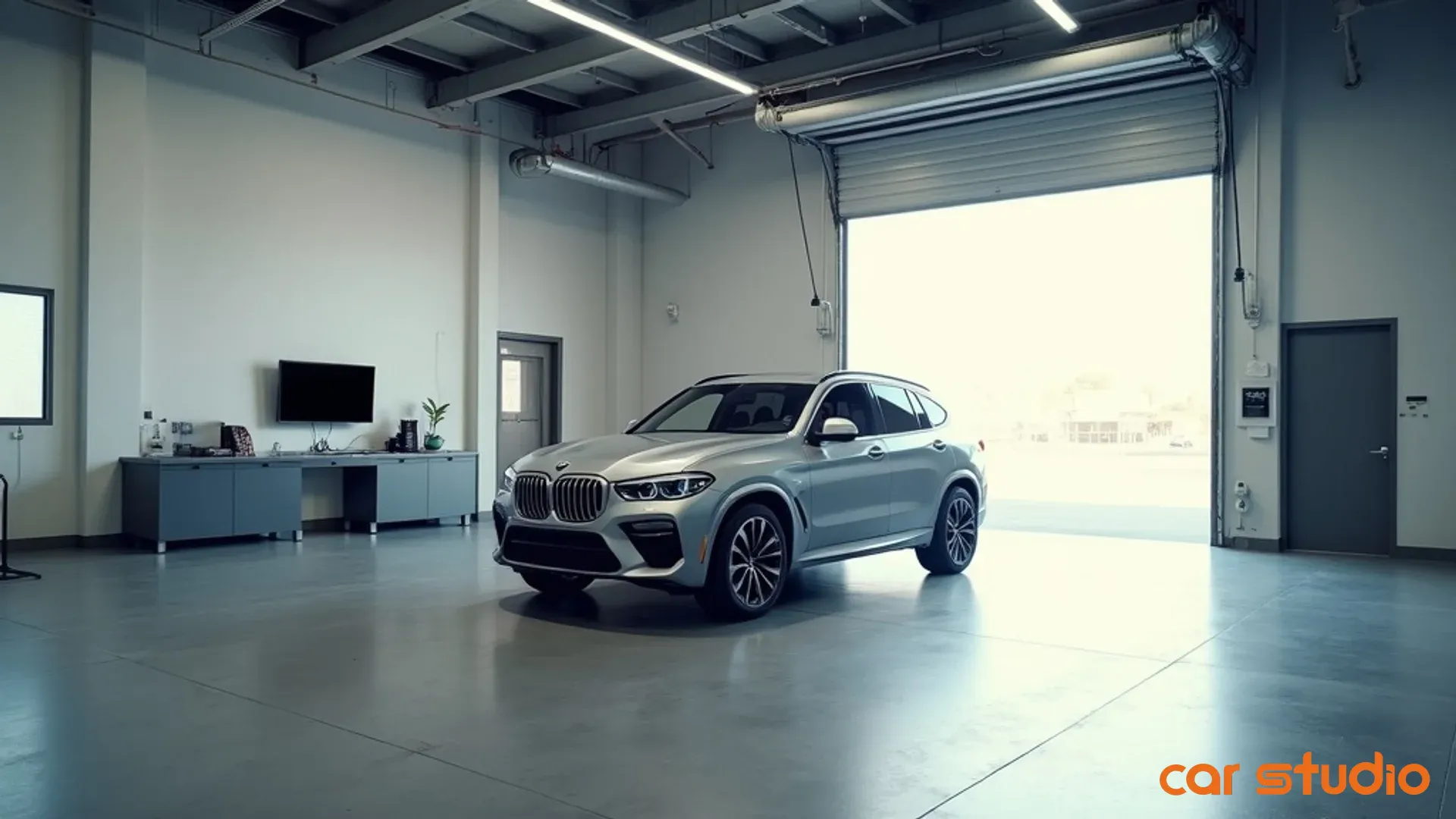
Platforms like Car Studio AI offer seamless API connections that let you build a fully automated pipeline from photo capture to live listing, cutting your time to market from days to hours.
Implementation Playbook: A 5-Step Adoption Framework
Buying an AI photo editor is easy. Using it effectively requires a structured rollout plan that addresses process, people, and performance measurement.
Here's the framework that works for most dealerships.
Step 1: Define Your Dealership's Photo Standards
Before you start processing photos with AI, you need to know what "good" looks like for your operation.
Sit down with your sales manager, marketing director, and whoever currently handles photography. Answer these questions:
How many photos per vehicle do you want? Most dealers aim for 20 to 30 for used inventory and 15 to 20 for new. More isn't always better if the extra shots are redundant or low-value.
What angles and features must be included? Front three-quarter, rear three-quarter, all four sides, engine bay, trunk, dashboard, front seats, rear seats, odometer, and any notable features or flaws.
What background style fits your brand? Clean white or gray studio backgrounds work for most dealers. Some prefer outdoor settings or branded environments. Choose one and stick with it.
What quality threshold will you accept? Define minimum standards for sharpness, lighting, and framing. If a photo doesn't meet the standard, it gets re-shot, not processed.
Document these standards in a one-page guide with example images. This becomes your training material and your quality control benchmark.
Step 2: Pilot with a Small Team and Vehicle Batch
Don't roll out AI photo editing across your entire inventory on day one. Start with a controlled pilot.
Choose five to ten vehicles that are currently on your lot and have existing photos. Pick a mix of body styles, colors, and conditions.
Assign one or two team members to re-photograph these vehicles according to your new standards, then process the images through your chosen AI photo editor.
Compare the new AI-processed photos to your existing listings. Show them to your sales team and ask for feedback. Track the time it took to capture and process each vehicle.
This pilot serves three purposes. It lets you test the AI tool's output quality and ease of use. It identifies gaps in your photo standards or workflow. And it gives you real before-and-after examples to build internal buy-in.
If the pilot reveals issues, fix them before expanding. If it works, you're ready to scale.
Step 3: Integrate with Your DMS and Inventory System
Manual workflows don't scale. If your team has to download photos from the AI platform, rename them, and manually upload them to your website, you'll create a new bottleneck.
Work with your AI photo editor provider and your DMS or inventory management vendor to set up automated integrations.
The ideal workflow looks like this: Your photographer captures images and uploads them to the AI platform, tagging them with the VIN or stock number. The AI processes the images and sends them directly to your DMS or inventory system, where they're automatically associated with the correct vehicle record. Your website and third-party listings pull the updated photos automatically.
Not every platform supports full automation out of the box. Some require API development or middleware. Platforms like Car Studio AI are built specifically for dealership workflows and offer pre-built integrations with most major DMS and inventory systems.
If full automation isn't possible immediately, set up a semi-automated process using shared folders, naming conventions, and batch upload tools. The goal is to minimize manual steps and human error.
Step 4: Train Staff on Capture Best Practices
An AI photo editor can fix a lot of problems, but it can't turn a blurry, poorly framed photo into a great one.
Your team still needs to capture clean, well-composed images. The AI just handles the tedious post-processing.
Train your photographers on these fundamentals:
Shoot in good natural light or use consistent artificial lighting. Avoid harsh midday sun that creates deep shadows. Overcast days are ideal for outdoor photography.
Keep the camera level and the vehicle centered in the frame. The AI can crop and straighten minor issues, but extreme angles or off-center framing create problems.
Capture the full vehicle in each shot with some space around the edges. Don't crop tight to the bumpers. The AI needs room to work when removing the background.
Clean the vehicle before shooting. The AI can't remove dirt, scratches, or trash inside the car. It can only enhance what's already there.
Use a consistent shooting checklist for every vehicle. This ensures you don't miss critical angles or features.
Run a hands-on training session where team members practice shooting a few vehicles, process the images through the AI tool, and review the results together. This builds confidence and surfaces questions early.
Step 5: Roll Out and Monitor Key Metrics
Once your pilot is successful, your integrations are in place, and your team is trained, it's time to expand to your full inventory.
Start with all new arrivals. Every vehicle that comes through recon gets photographed and processed using the new workflow. This ensures your freshest inventory has the best presentation.
Then work backward through your existing inventory, prioritizing high-value units, slow movers, and anything with poor current photos.
As you roll out, track these metrics weekly:
Average time from recon completion to live listing. This should drop significantly as your photo workflow speeds up.

Percentage of inventory with complete, high-quality photo sets. Aim for 95% or higher within 30 days of rollout.
VDP views per vehicle. Compare pre- and post-rollout performance for similar inventory.
Lead volume and lead-to-appointment conversion rate. Better photos should drive more qualified leads.
Team feedback and adoption rate. If photographers or sales staff are resisting the new process, find out why and address it.
Set up a weekly review meeting for the first month to catch issues early and make adjustments. After that, shift to monthly check-ins.
Common Objections and Pitfalls to Avoid
Every process change meets resistance. Anticipating objections and planning your responses will smooth the adoption curve.
Overcoming Staff Pushback and Process Change Friction
Your lot porter has been shooting photos the same way for three years. Your sales manager doesn't see why the current process needs fixing. Your general manager is skeptical of anything that sounds like "AI."
This is normal.
Address it head-on by involving key stakeholders early. Show them the pilot results. Let them compare the old and new photos side by side. Ask for their input on standards and workflow design.
Frame the change in terms of their pain points. For the sales team, it's about getting more leads and closing deals faster. For the photographer, it's about spending less time on tedious editing and more time on other tasks. For the GM, it's about inventory turn and gross profit.
Make the transition easy. Don't force everyone to change overnight. Run the old and new processes in parallel for a week or two so the team can build confidence without feeling rushed.
And celebrate early wins. When a vehicle with AI-processed photos sells faster or generates more leads than similar units, share that with the team. Positive reinforcement beats mandates every time.
Addressing Fears About Photo Authenticity or Fakeness
Some dealers worry that AI-enhanced photos misrepresent the vehicle or create unrealistic buyer expectations.
This concern is valid but usually overstated.
An AI photo editor doesn't change the vehicle itself. It doesn't hide damage, alter the color, or add features that aren't there. It replaces the background and enhances lighting and sharpness to present the car in the best possible light.
Think of it like staging a home for sale. You're not lying about the house. You're presenting it in a way that helps buyers see its potential.
That said, you do need to maintain honesty. Don't use AI to remove visible damage or wear. Don't enhance colors to the point where the vehicle looks different in person than online. And always include a full set of photos that show the vehicle's true condition, including any flaws.
Most buyers understand that professional photos are edited. They expect it. What they don't tolerate is being misled. As long as your photos accurately represent the vehicle's condition and features, AI enhancement is a presentation tool, not a deception tactic.
Ensuring Quality Control at Scale
As you process hundreds of photos per week, quality control becomes critical. You can't manually review every image in detail, but you can't afford to let bad photos slip through either.
Build quality control into your workflow at three points.
First, at capture. Use a checklist to ensure photographers are getting the shots you need with proper framing and lighting. Catch problems before they reach the AI platform.
Second, at processing. Most AI photo editors let you set quality thresholds and review flags. Configure the platform to flag images with issues like excessive blur, poor lighting, or failed background removal. Review flagged images before they go live.
Third, at publication. Assign someone, whether your marketing coordinator or a sales manager, to spot-check a random sample of listings each week. Look for consistency, accuracy, and adherence to your photo standards.
Create a simple quality checklist:
- Vehicle is centered and level in the frame.
- Background is clean and consistent with brand standards.
- Lighting is balanced with no harsh shadows or blown highlights.
- Image is sharp with clear detail on key features.
- No visible artifacts or errors from AI processing.
- All required angles and features are included.
If a vehicle fails the checklist, pull it from the listing, re-shoot or re-process, and document the issue so you can prevent it next time.
Choosing a Partner vs. a Simple Tool
Not all AI photo editors are created equal. Some are basic apps that replace backgrounds and nothing more. Others are full-service platforms built specifically for automotive retail.
Ask yourself what you need.
If you have a small inventory, a tech-savvy team, and time to manage the process yourself, a simple app might work. You'll pay less upfront, but you'll handle all the workflow design, integration, and troubleshooting yourself.
If you have high volume, limited technical resources, or a need for speed and consistency, choose a partner that offers more than just software. Look for platforms that provide DMS integrations, workflow automation, training and support, and ongoing optimization.
The right partner will help you design your photo standards, set up your workflow, train your team, and measure results. They'll act as an extension of your operations team, not just a vendor you pay monthly.
Platforms like Car Studio AI are built for this level of partnership, offering dedicated onboarding, API integrations, and performance dashboards that track the metrics that matter to your business.
Quick Wins: Boost Your Merchandising in 14 Days

You don't need months to see results from AI photo editing. You can prove the concept and build momentum in two weeks.
Here's a simple action plan.
Day 1 to 3: Process Your 5 Oldest Inventory Units
Start with the vehicles that need help most. Pull your five oldest units, the ones sitting at 60, 70, or 90-plus days on lot.
Re-photograph them using your new standards. Process the images through your AI photo editor. Replace the old photos on your website and third-party listings.
This accomplishes two things. It gives your slowest inventory the best possible chance to move. And it creates a clear before-and-after test case you can track.
Day 4 to 7: A/B Test New vs. Old Photos
Choose five to ten vehicles with existing photos that are decent but not great. These should be mid-age inventory, 20 to 40 days on lot, with average engagement.
Re-photograph and process half of them with AI. Leave the other half with the original photos.
Track VDP views, time on page, and lead volume for both groups over the next week. This gives you a controlled comparison of AI-enhanced photos versus your current standard.
You're looking for a measurable lift in engagement. Even a 20% to 30% increase in VDP views or a 10% to 15% increase in leads is significant when applied across your full inventory.
Day 8 to 10: Track VDP Views and Click-Rate Lift
Pull your analytics for the vehicles you updated on days one through three and the A/B test group from days four through seven.
Compare VDP views, average time on page, and lead submissions before and after the photo updates. Look for patterns.
Did the oldest units see a spike in activity after the new photos went live? Did the A/B test group with AI photos outperform the control group?
If yes, you've validated the concept. If no, dig into why. Were the new photos actually better, or did you miss something in the standards or processing? Did you promote the updated listings, or did you rely solely on organic traffic?
Use this data to refine your approach before scaling up.
Day 11 to 14: Gather Team Feedback and Plan Expansion
Meet with your sales team, photographers, and marketing staff. Show them the results from the first ten days. Ask for their feedback.
What worked? What didn't? What would make the process easier or more effective?
Use this input to finalize your photo standards, workflow, and quality control process. Then build a 30-day plan to roll out AI photo editing across your full inventory.
Set clear targets: percentage of inventory with updated photos, average time to listing, and expected lift in VDP engagement. Assign ownership for each step of the workflow. Schedule weekly check-ins to track progress.
By the end of day 14, you should have proof of concept, team buy-in, and a clear roadmap for scaling up.
Measuring ROI Beyond Simple Cost Savings
Most dealers evaluate AI photo editing based on cost per vehicle or labor savings. Those metrics matter, but they don't tell the full story.
The real ROI comes from faster inventory turn, higher gross profit, and better brand perception. Here's how to measure it.
Tracking Reduction in Average Days on Lot
Days on lot is one of the most important metrics in used car retail. The longer a vehicle sits, the more it costs you in floorplan interest, depreciation, and opportunity cost.
If AI photo editing helps you get vehicles online faster and generates more engagement, you should see a measurable reduction in average days on lot.
Track this metric at three levels. First, measure time from recon completion to live listing. This should drop immediately as your photo workflow speeds up. Second, measure average days on lot for vehicles with AI-processed photos versus those without. Third, track overall inventory turn rate month over month as you roll out the new process.
Even a small reduction in days on lot has a big financial impact. If your average days on lot drops from 45 to 40 days across 100 units per month, you're turning inventory faster, reducing floorplan costs, and freeing up capital to acquire more vehicles.
Correlating Photo Quality to Higher Gross Profit
Better photos attract more buyers and create more competition for your inventory. More competition means less price pressure and better gross profit per unit.
This is harder to measure directly, but you can look for patterns.
Compare gross profit per unit for vehicles with AI-processed photos versus those with standard photos, controlling for age, mileage, and condition. Track whether vehicles with high-quality photos sell closer to asking price or require fewer price reductions.
You can also survey your sales team. Are they getting more inbound leads on vehicles with better photos? Are those leads more qualified and further along in the buying process? Are they closing deals faster with less negotiation?
Anecdotal feedback combined with gross profit data will give you a clear picture of whether photo quality is impacting your bottom line.
Calculating the True Cost Per Vehicle Merchandised
Most dealers think about photo costs in terms of per-vehicle fees or labor hours. But the true cost includes time, labor, tools, delays, and opportunity cost.
Build a full cost model for your current process and compare it to AI photo editing.
For your current process, include photographer labor or vendor fees, editing time, software or equipment costs, and the cost of delays. If it takes three days to get a vehicle online and that delay costs you one extra day on lot, factor in the floorplan interest and depreciation for that day.
For AI photo editing, include platform fees, photographer labor for capture, and any integration or training costs.
When you run the numbers, you'll likely find that AI photo editing costs less per vehicle and delivers faster time to market, making the ROI calculation straightforward.
But don't stop there. Add in the value of increased VDP engagement, faster turn rate, and higher gross profit. That's where the real ROI lives.
Dedicated solutions like Car Studio AI provide dashboards that track these metrics automatically, giving you real-time visibility into cost per vehicle, time to listing, and engagement lift without building custom reports.
Your inventory photos are either helping you sell cars or costing you deals. There's no middle ground.
Buyers make snap judgments based on thumbnails and VDP images. If your photos don't stand out, you're invisible. If they look inconsistent or low-quality, you're untrustworthy. And if your merchandising process is slow, you're losing the race to market every single day.
An AI photo editor won't solve every problem in your dealership. But it will eliminate the bottlenecks, inconsistencies, and costs that keep your inventory from performing at its best.
You now have the playbook. You know the hidden costs of poor photography. You understand how AI transforms the workflow. You have a step-by-step implementation framework, answers to common objections, and a 14-day quick-start plan.
The only question left is whether you'll act on it.
Ready to cut your time to market and boost inventory turn? See how Car Studio AI automates your entire photo workflow with seamless DMS integrations, AI-powered enhancement, and real-time performance tracking. Schedule a personalized demo and see the difference professional, consistent photos make for your dealership.
Want to know your dealership's ROI potential? Get a free performance analysis from Car Studio AI. We'll review your current process, calculate your cost per vehicle, and show you exactly what you could save in time, labor, and days on lot with an AI-powered merchandising workflow.