
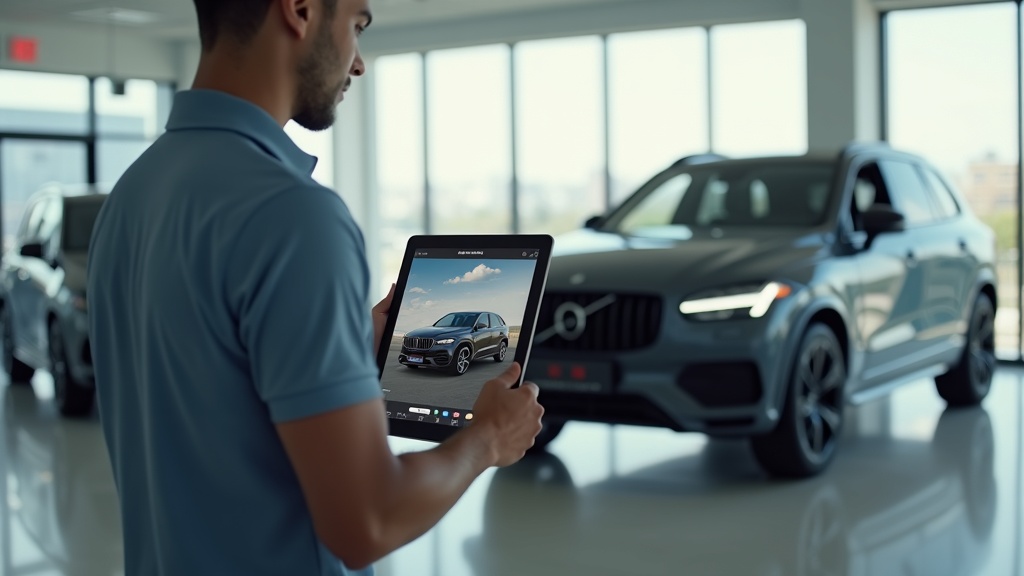

The Hidden Cost of Inconsistent Visuals on Your Listings
Your marketplace photos are costing you money right now.
Not because they're ugly. Not because your photographer quit. Because they're inconsistent, and inconsistency reads as unprofessional to every buyer scrolling past your inventory at 11 PM on their phone.
Research shows buyers form an irreversible opinion about your dealership's professionalism in under three seconds based on VDP photos alone. Three seconds. That's faster than your receptionist can answer the phone.
When Unit 47 has a clean white background and Unit 48 shows a cluttered service bay with oil stains, buyers don't see two cars. They see chaos. They see a store that doesn't have its act together. And they keep scrolling.
This isn't about branding. It's about turn rate, lead volume, and gross profit. Let's fix it.
Why Visual Inconsistency Is a Profit Leak, Not a Branding Problem
Most dealers treat photo quality like a marketing nice-to-have. Something the BDC manager mentions in a Monday meeting, then everyone forgets by Tuesday.
That's a mistake.
Visual inconsistency creates measurable financial drag across your entire operation. It shows up in your metrics whether you're tracking it or not.
Instant Erosion of Buyer Trust
Buyers don't give you the benefit of the doubt anymore. They're comparison shopping across 15 VDPs in a single session. When your photos look amateurish or inconsistent, they assume everything else about your operation is equally sloppy.
That assumption kills trust before the first phone call. Before the first chat message. Before you even know they existed.
Trust is the currency of conversion. Without it, your price doesn't matter. Your reconditioning doesn't matter. Your five-star Google reviews don't matter.
Measurable Impact on Days-on-Lot
Inconsistent visuals directly extend your time-to-sale. Buyers skip over listings that look unprofessional, even if the vehicle and price are competitive.
Every extra day on the lot costs you floor plan interest. It increases the risk of reconditioning issues. It pushes the unit closer to the next age bucket where you'll take a bigger hit at auction.
If inconsistent photos add even three days to your average turn, you're bleeding cash across your entire inventory. Do the math on 150 units at $25 per day in floor plan costs. That's $11,250 per month in completely avoidable expense.
Suppressed Lead Volume and Gross
Poor visuals don't just slow down sales. They reduce the total number of buyers who engage with your listings in the first place.
Marketplace algorithms prioritize listings with higher engagement. Fewer clicks, fewer saves, fewer shares means your VDPs get buried. You lose organic reach, which forces you to spend more on promoted listings just to stay visible.
Lower lead volume gives you less negotiating leverage. When you're only working two leads on a unit instead of seven, you're more likely to cave on price. Your gross suffers because your pipeline is weak.
Hidden Operational Drag and Wasted Time
Inconsistent photos create internal chaos too.
Your sales team wastes time answering the same questions over and over because the photos don't show the details buyers need. "Does it have a sunroof?" "What's the mileage?" "Can I see the back seat?"
Your BDC spends hours fielding low-intent inquiries from buyers who would have self-qualified out if the photos were complete and accurate.
Your desk managers lose deals because buyers show up expecting one thing based on the photos and find something different in person. That's not a negotiation problem. That's a merchandising problem.
The 5 Types of Visual Inconsistency Costing You Sales
Let's diagnose the specific problems hiding in your inventory right now.
Most dealers have at least three of these issues active at any given time. The worst part? You've probably gotten so used to them that you don't even notice anymore.
Type 1: Cluttered vs. Neutral Backgrounds
This is the most common and most damaging inconsistency.
Unit A has a clean, neutral background. Unit B was photographed in front of your service bay with a parts truck in the frame. Unit C shows a busy street with traffic and pedestrians.
Buyers don't consciously process the background. But their brain does. Cluttered backgrounds create visual noise that makes the vehicle harder to evaluate. It signals disorganization.
Neutral backgrounds focus attention on the product. They look professional. They make it easy for buyers to imagine the vehicle in their own driveway.
The fix used to require a dedicated photo studio or expensive post-production work. Not anymore. An AI photo editor can remove background clutter and replace it with a clean studio backdrop in seconds.
Type 2: Low Resolution, Poor Lighting, and Blur
Blurry photos kill credibility instantly.
Buyers assume you're hiding something. Scratches, dents, worn interiors. Even if the blur is just from a shaky hand or poor lighting, the perception is the same: you're not being transparent.
Low resolution images look terrible on modern high-DPI smartphone screens. They pixelate when buyers zoom in to check details. That's a conversion killer.
Poor lighting makes colors look wrong. A black interior looks gray. A red exterior looks orange. Buyers lose confidence that what they're seeing matches reality.
You can't fix these problems by telling your lot porter to hold the phone steadier. You need to upscale image quality and enhance lighting automatically as part of your workflow.
Type 3: Inconsistent or Distracting Watermarks and Overlays
Watermarks serve a purpose. They protect your photos from being scraped by competitors and third-party sites.
But inconsistent watermarking looks amateurish.
Some units have a small logo in the corner. Others have a giant banner across the hood. Some have price overlays. Some don't. Some have your old branding from three years ago.
Distracting watermarks are even worse. Huge text blocks that cover key parts of the vehicle. Neon colors that clash with the photo. Multiple overlapping logos from different vendors.
Your watermark should be consistent, subtle, and professionally placed. Same position, same size, same style across every single photo in your inventory.
Type 4: Incomplete Photo Sets Missing Key Angles
Buyers have a mental checklist of what they need to see before they'll consider reaching out.
Exterior: front three-quarter, rear three-quarter, both sides, front, rear.
Interior: dashboard, front seats, back seats, cargo area, center console.
Details: odometer, VIN plate, tires, wheels, engine bay (for certain buyers).
When you're missing angles, buyers assume the worst. No cargo photo? Must be damaged. No odometer shot? Must be higher mileage than listed. No engine bay? Must be a problem under the hood.
Incomplete photo sets also hurt your marketplace ranking. Most platforms reward listings with complete, high-quality photo sets by giving them better placement.
Type 5: Inconsistent Framing and Composition
This one's subtle but it matters.
Some photos are tight crops. Others are wide shots from 30 feet away. Some are perfectly centered. Others have the vehicle awkwardly positioned in the corner of the frame.
Inconsistent framing makes your inventory look disjointed. It's visual chaos that erodes the perception of professionalism.
Consistent framing creates a cohesive brand experience. Every VDP feels like it came from the same dealership, with the same standards, the same attention to detail.
Here's a comparison of what these problems cost you:
| Problem | Manual Fix Cost | AI Fix Time |
|-------------|---------------------|-----------------|
| Cluttered background | $15-30 per photo (outsourced editing) or 10-15 min per photo (in-house) | 5-10 seconds per photo |
| Blurry or dark image | Re-shoot required ($50-100 per unit) | 5-10 seconds to upscale and enhance |
| Inconsistent watermark | 3-5 min per photo to re-apply template | Automated template applied on upload |
| Missing angles | Re-shoot required ($50-100 per unit) | N/A (prevention via shot list enforcement) |
| Inconsistent framing | Re-shoot required or 5-10 min per photo to crop/adjust | 5-10 seconds to auto-crop and center |
The manual approach is expensive, slow, and doesn't scale. The AI approach is fast, consistent, and gets better over time.
Implementation Playbook: A 4-Step Visual Consistency System
Here's how to fix this permanently, not just for the next 10 units.
This isn't a one-time cleanup project. It's a system that runs every day, for every vehicle, without requiring you to micromanage your team.
Step 1: Define a Universal Shot List
Start by creating a standardized shot list that applies to every vehicle in your inventory.
No exceptions. No shortcuts. Every unit gets the same treatment whether it's a $12,000 Civic or a $75,000 F-250.
Here's a baseline shot list you can implement today:
| Category | Required Angles | Notes |
|--------------|---------------------|-----------|
| Exterior | Front 3/4, Rear 3/4, Driver side, Passenger side, Front, Rear | Shoot at 45-degree angle for 3/4 views |
| Interior | Dashboard/steering wheel, Front seats, Rear seats, Cargo/trunk, Center console/infotainment | Ensure good lighting, no shadows |
| Details | Odometer, VIN plate, Wheels/tires (all 4 if different), Engine bay (trucks/performance cars) | Close-ups, sharp focus |
| Damage disclosure | Any visible wear, scratches, dents, stains | Transparency builds trust |
Print this list. Laminate it. Give it to every person who touches a camera at your dealership.
Make it part of your recon checklist. A vehicle doesn't go to the lot until all required photos are captured and uploaded.
Step 2: Automate Backgrounds and Enhancements
Manual background removal is slow and expensive. You can't scale it across 150 units.
An AI photo editor solves this by automatically detecting the vehicle, removing the background, and replacing it with a clean, neutral studio backdrop.
This happens in seconds, not minutes. It works on photos shot anywhere: your lot, the service lane, a customer's driveway.
The same AI tools can enhance lighting, sharpen details, and upscale resolution. A dark, blurry photo shot on an overcast day becomes a bright, professional image that looks like it came from a studio.
Platforms like Car Studio AI integrate directly into your existing workflow. Photos go in messy, they come out consistent and professional, ready to publish.
You're not replacing your team. You're giving them a tool that makes their work faster and better.
Step 3: Enforce Quality and Resolution Standards
Set minimum technical standards and enforce them at the upload stage.
Minimum resolution: 1920x1080 pixels for exterior shots, 1280x720 for interior details.
File format: JPEG or PNG, no screenshots or compressed images from text messages.
Lighting: Bright enough to see details, no harsh shadows or blown-out highlights.
Focus: Sharp, not blurry. If you can't read the odometer numbers, re-shoot.
Build these checks into your process. If a photo doesn't meet standards, it gets flagged for re-capture or enhancement before it goes live.
Most AI photo enhancer tools can automatically upscale low-resolution images and correct lighting issues, but prevention is still better than correction.
Step 4: Template All Watermarks and Overlays
Create a single, professional watermark template and apply it to every photo automatically.
Your watermark should include:
- Your dealership logo (small, not intrusive)
- Your website URL or phone number (optional, but helpful for scraped images)
- Consistent placement (bottom right or bottom center works best)
- Subtle opacity (30-50% so it doesn't dominate the image)
Use the same template for every photo, every vehicle, every time.
Most artificial intelligence image editor platforms let you upload a watermark template once and apply it automatically to all future photos. Set it and forget it.
Here's what your complete workflow looks like:
4-Step Visual Merchandising Workflow (SOP)
- Capture: Photographer follows universal shot list, captures all required angles
- Process: Photos uploaded to AI photo editor, backgrounds removed, lighting enhanced, resolution upscaled
- Brand: Watermark template applied automatically, consistent across all images
- Publish: Final photos pushed to DMS, website, and marketplace listings
This workflow takes a new unit from recon to fully merchandised in under 15 minutes. No manual editing. No back-and-forth. No inconsistency.
Want to implement this faster? Download our free Standard Vehicle Shot List to use today, or see how an advanced AI photo editor transforms a VDP in seconds.
Overcoming Common Objections and Pitfalls
Let's address the pushback you're already thinking about.
These objections are real. They're also solvable.
"We don't have time for this."
You don't have time not to do this.
Every day you leave inconsistent photos live, you're extending days-on-lot and suppressing lead volume. That costs you more than the time it takes to fix it.
The workflow outlined above adds less than 5 minutes per vehicle when automated properly. Your current process probably takes longer because you're re-shooting units, answering preventable questions, and dealing with buyer objections caused by poor visuals.
AI automation doesn't add time. It saves time by eliminating rework and reducing inbound noise from low-quality leads.
"We don't have a photographer."
You don't need one.
Your lot porter can capture photos with a smartphone if you give them a shot list and basic training. The AI handles the rest: background removal, lighting correction, enhancement, watermarking.
Platforms like Car Studio AI are designed for non-photographers. Point, shoot, upload. The software does the heavy lifting.
If you're currently paying a third-party service to shoot and edit photos, you can bring that in-house for a fraction of the cost and get faster turnaround.
"Marketplaces have too many rules."
True. And inconsistent photos make it harder to stay compliant.
Most marketplaces have specific requirements for image resolution, aspect ratio, and content. When your photos are all over the place, you're constantly dealing with rejected listings and compliance warnings.
Standardizing your visuals makes compliance automatic. You set the template once to meet marketplace specs, and every photo that goes out is already compliant.
This reduces administrative headaches and ensures your listings stay live and visible.
"The tools are too expensive."
Compare the cost of the tool to the cost of the problem.
Let's say you have 100 units in inventory with an average floor plan cost of $25 per day. If inconsistent photos add just two days to your turn rate, that's $5,000 per month in extra floor plan expense.
Most AI photo editing platforms cost a fraction of that. Even at $500-1,000 per month, you're saving 5x to 10x the cost in reduced carrying costs alone.
That doesn't include the value of increased lead volume, higher gross profit from better-qualified buyers, and reduced operational drag on your team.
Here's a simple way to think about ROI:
Visual ROI Calculation (Illustrative)
- Average floor plan cost per unit per day: $25
- Number of units in inventory: 100
- Days saved per unit with better visuals: 2
- Monthly floor plan savings: 100 units × 2 days × $25 = $5,000
- Monthly cost of AI photo editing platform: $750
- Net monthly savings: $4,250
This doesn't account for increased lead volume or gross profit. It's just the hard cost savings from faster turn.
The tools pay for themselves in the first month.
Quick Wins: 3 High-Impact Fixes in 14 Days
You don't have to fix everything at once.
Start with these three high-impact actions and you'll see measurable improvement in two weeks.
Week 1: Refresh Your 10 Oldest Units
Your oldest inventory is hurting you the most. It's costing you floor plan interest every day, and it's probably got the worst photos because standards were lower when you first listed it.
Pick your 10 oldest units. Re-shoot them using your new shot list, or run the existing photos through an AI photo enhancer to unblur image quality and remove cluttered backgrounds.
Replace the old VDP photos with the new, consistent versions. Push the updates to all your marketplace listings.
Track the results. You should see an uptick in VDP views and engagement within 72 hours.
Week 2: Upscale Blurry and Dark Photos Across Your Inventory
You don't need to re-shoot everything. Start by fixing the worst offenders.
Use an AI tool to upscale image resolution and enhance lighting on any photo that looks blurry, dark, or pixelated. Most platforms let you batch-process dozens of images at once.
This is a fast win that improves the perceived quality of your entire inventory without requiring new photography.
Focus on your best-selling segments first. If you move a lot of trucks, fix the truck photos. If SUVs are your volume, start there.
Ongoing: Systematize Your Watermarks
Pick a watermark template today. Apply it to every new photo going forward.
Then, as you refresh older units, replace the old inconsistent watermarks with your new standard.
Within 30 days, your entire inventory will have a cohesive, professional look.
This is a small change that has a disproportionate impact on buyer perception. Consistent branding signals professionalism and attention to detail.
Before/After Example:
Imagine a VDP photo of a used sedan shot on your lot with cars, buildings, and power lines in the background. The image is slightly blurry and underexposed.
Now imagine the same vehicle on a clean white studio background, sharp focus, perfect lighting, with a subtle watermark in the bottom right corner.
The second version looks like it came from a premium dealership. The first looks like a Craigslist ad.
That's the difference an AI photo editor makes. Same car, same camera, completely different buyer perception.
Magic Eraser for Lot Clutter:
One underutilized feature in modern AI photo editing tools is the magic eraser function. It lets you remove distracting objects from the background without replacing the entire backdrop.
Got a shopping cart in the frame? Erase it. Oil stain on the pavement? Gone. Another vehicle photobombing the shot? Removed.
This gives you the flexibility to clean up photos shot in less-than-ideal conditions without starting over.
Decision Tree: Visual Inconsistency Self-Audit
Use this decision tree to diagnose where your biggest problems are right now.
Start Here: Are backgrounds consistent across all units?
- Yes: Move to next question.
- No: Implement AI background removal immediately. This is your highest-impact fix.
Are all photos sharp and well-lit, with no blur or pixelation?
- Yes: Move to next question.
- No: Use an AI photo enhancer to upscale and enhance existing photos. Add lighting standards to your shot list.
Do all units have complete photo sets with no missing angles?
- Yes: Move to next question.
- No: Implement the universal shot list from Step 1. Make it part of recon sign-off.
Are watermarks consistent in size, placement, and style?
- Yes: Move to next question.
- No: Create a watermark template and apply it automatically to all new photos.
Are photos framed and composed consistently?
- Yes: Your visual merchandising is in good shape. Focus on optimization and testing.
- No: Add framing guidelines to your shot list or use AI auto-crop features.
If you answered "No" to two or more questions, you have a visual consistency problem that's costing you money right now.
Watermark Do's and Don'ts
Do:
- Keep it small and subtle (10-15% of image height)
- Place it consistently in the same corner on every photo
- Use your logo and website URL
- Set opacity to 30-50% so it doesn't dominate the image
- Apply it automatically as part of your workflow
Don't:
- Cover important parts of the vehicle (hood, grille, wheels)
- Use bright neon colors that clash with the photo
- Include multiple logos or overlapping text
- Change the style, size, or placement between units
- Add price or promotional text directly on the photo (use marketplace fields instead)
A good watermark protects your images without distracting from the vehicle. A bad watermark makes your VDPs look cheap and cluttered.
The Bottom Line
Inconsistent visuals aren't a minor annoyance. They're a profit leak that shows up in your turn rate, your lead volume, and your gross profit.
Buyers form their opinion of your dealership in three seconds. If your photos look inconsistent, unprofessional, or incomplete, they're gone. You never get a second chance.
The good news? This is fixable. You don't need a bigger budget, a professional photographer, or a complete overhaul of your operation.
You need a system. A universal shot list. Automated enhancement and background removal. Consistent watermarking. Standards that apply to every vehicle, every time.
The tools exist. The workflow is proven. The ROI is measurable.
The only question is whether you're going to keep losing money to poor visuals, or whether you're going to fix it in the next 14 days.
Ready to turn inconsistency into a competitive advantage? Schedule a brief demo to see how Car Studio AI automates your visual merchandising, or stop losing profit to poor photos and see how our AI platform can standardize your entire inventory's visuals in minutes, not hours.
Your buyers are already judging you. Make sure they like what they see.