
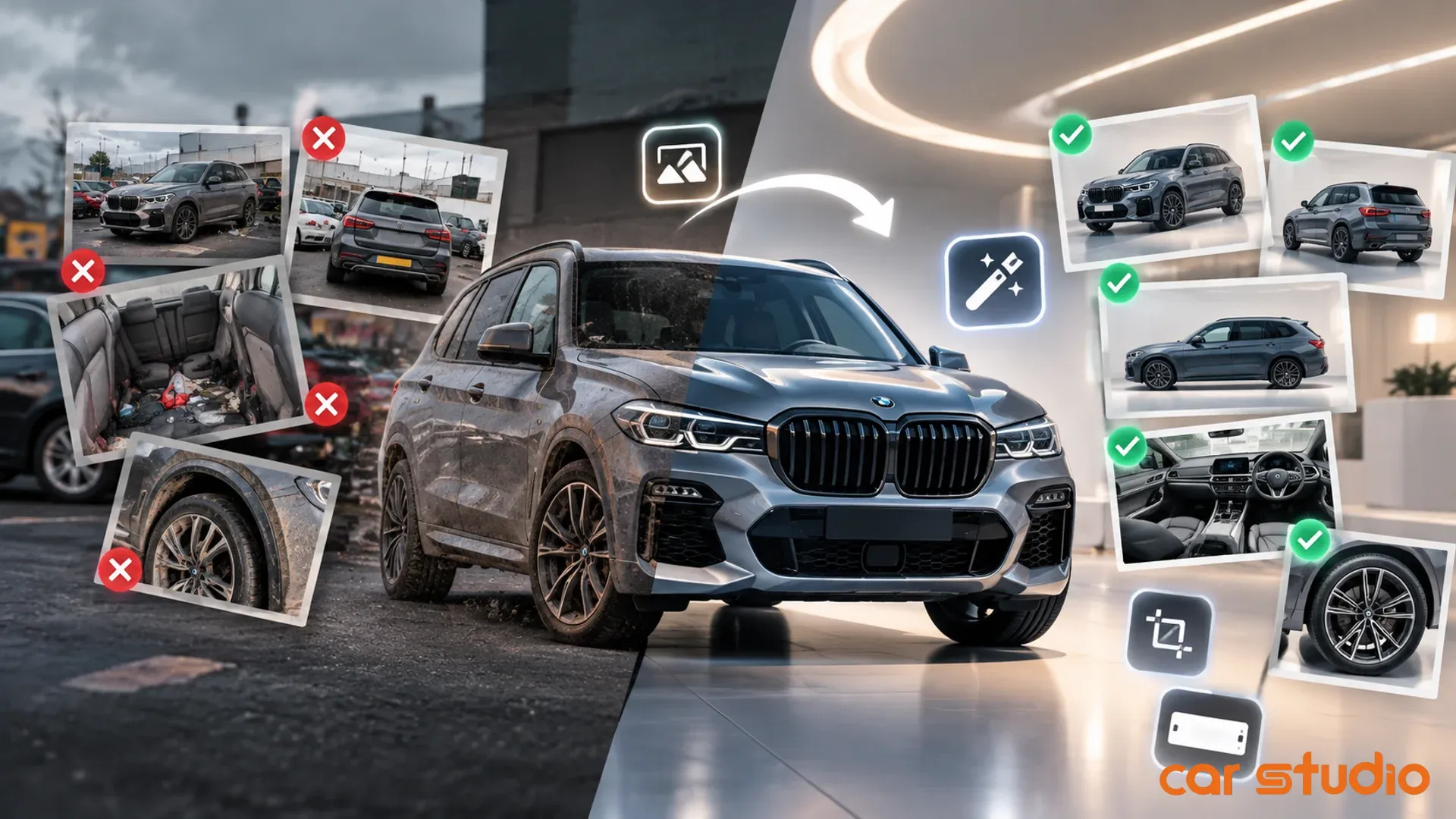
What makes a car photo look professional?
A car photo looks professional when five things are true: the background is clean, the light is even, the car sits on the ground with a natural shadow, the whole car is framed at a steady angle, and every photo in the set matches. Professional car photos also show the real car honestly. Buyers trust a listing that looks cared for, and they distrust one that looks retouched.
Car Studio AI is an AI-powered photo editing platform for car dealers. Car Studio AI turns ordinary phone photos into studio car photos by changing the setting around the vehicle (background, light and shadow) and never the vehicle itself. More than 600 dealers in 44+ countries use Car Studio AI, and over 100M images have been processed on the platform.
Which visible markers do buyers react to?
Buyers react to six visible markers of car photo quality, usually within the first glance at a listing grid. Most buyers never name these markers, but they notice when one is missing.
A clean background. Nothing competes with the car: no other vehicles, no street signs, no bins or fences.
Even, soft light. No harsh midday glare on one side and deep shadow on the other.
A grounded car. A soft, realistic shadow under the tyres, so the car sits on the floor instead of floating.
Full, steady framing. The whole car is in the frame, shot from around headlight height, with a little space on every side.
A matching set. Every photo in the gallery shares the same setting, so the listing reads as one shoot.
Tidy details. Number plates handled the same way in every photo, and a clean car inside and out.
What makes a car photo look amateur?
A car photo looks amateur when the setting distracts from the car or when the image looks manipulated. The second problem is the one sellers underestimate. Heavy filters, unnatural colour, cut-out cars with no shadow and glossy retouching all make buyers ask what else has been changed.
The table below compares professional car photos with the common amateur versions.
Background: Professional — one clean studio, showroom or outdoor scene. Amateur — car park, street or neighbouring cars.
Light: Professional — even and soft across the whole car. Amateur — harsh sun, deep shadow or a dark corner.
Shadow: Professional — natural shadow under the tyres. Amateur — no shadow, the car looks pasted in.
Framing: Professional — whole car, steady height, space around it. Amateur — cropped bumpers, tilted phone, too close.
Set: Professional — every photo matches. Amateur — different places and times in one gallery.
The car itself: Professional — shown exactly as it is. Amateur — filtered, recoloured or retouched.
The last row matters most for trust. A professional car photo changes how the car is presented, not what the car is. Paint, scratches, dents and interior wear should look exactly as a buyer will see them in person.
How do you reach that standard from a phone?
You can reach a professional standard from a phone by splitting the work in two: capture the car well, then replace the setting around it. A phone camera is good enough for professional car photos as long as the car and the shot list are right.
What should you do at the shoot?
At the shoot, focus on what no software should change: the car and the angles.
Clean the car. Wash the exterior and clear personal items from the interior.
Use the same shot list for every car. Front three-quarter, side profile, rear three-quarter, rear, front seats, rear seats, dashboard and wheels.
Hold the phone at headlight height for exterior shots and keep it level.
Leave space around the car so nothing is cut off when the image is resized for a marketplace.
What does a car photo editor handle after the shoot?
A car photo editor handles the setting: background, light, shadow, plates and format. The Car Studio AI Photo Editor does this in a few steps for every photo in the gallery.
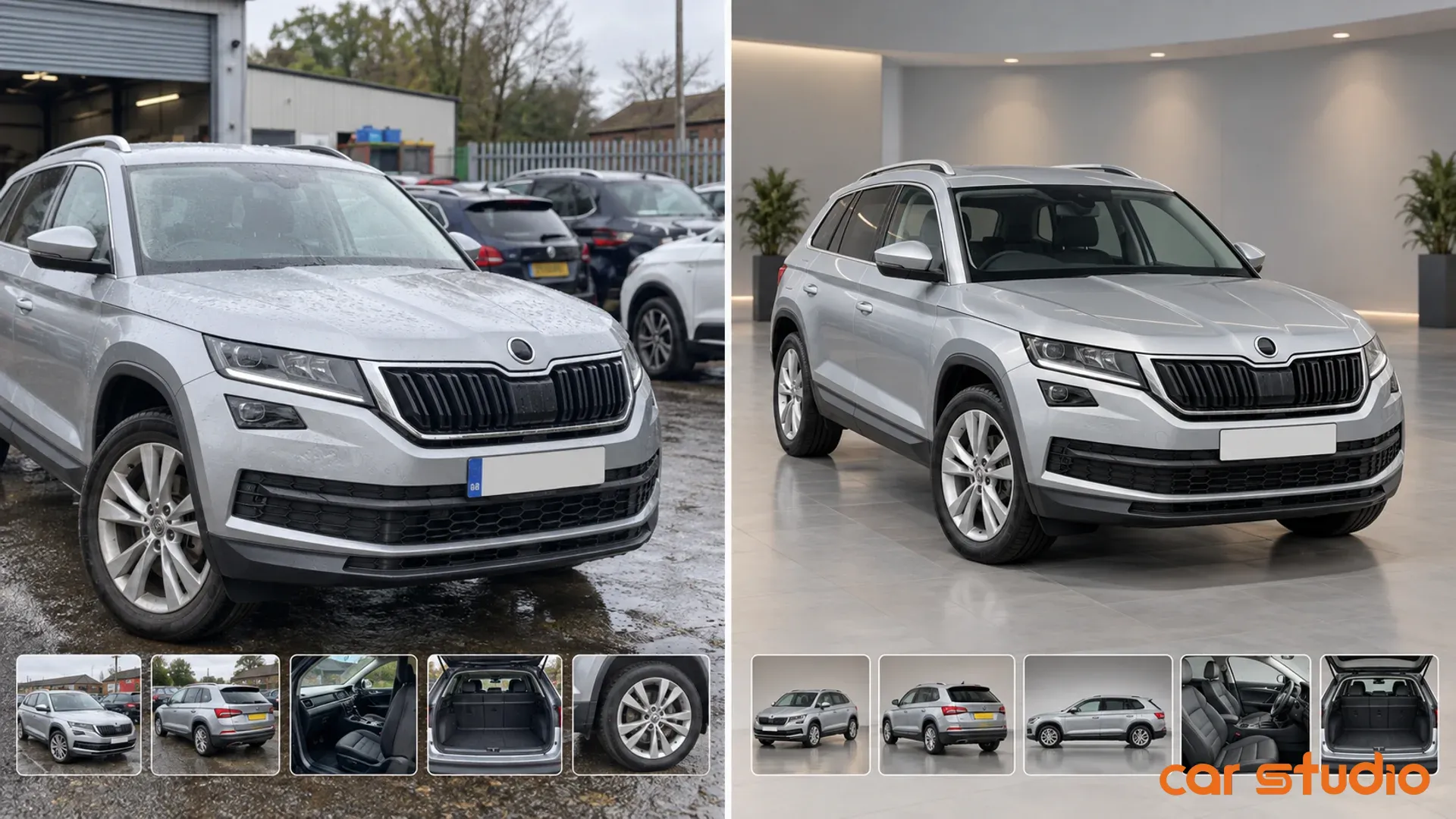
Background: choose from dozens of car photo background options (indoor, outdoor, showroom) or upload your own set.
Shadow: an automatic, realistic shadow grounds the car on the new floor.
Plates: keep the original plate, blur it, cover it or replace it with a branded logo plate, for privacy or for dealer branding.
Format: export in the aspect ratio each marketplace asks for.
The Car Studio AI Photo Editor does not touch the vehicle. The car in the final image is the car the buyer will see on the forecourt, only in a better setting.
Why does a professional look matter across a whole stock?
A professional look matters across a whole stock because buyers compare many listings from the same seller. When every car shares one background and one standard, a dealership's listings are recognisable at a glance, and a marketplace looks more trustworthy to its buyers.
The same logic applies at every scale. A dealership group can apply one setting across all branches. A marketplace can offer sellers a single standard. An OEM certified program can keep one look across many dealers. An individual seller can make one car look as cared for as a dealer listing.
What does one car look like before and after?
One car shows the difference clearly. Picture a hatchback photographed on a phone in a dealership yard on a cloudy afternoon.
Before: eight photos with a fence, two other cars and a wet tarmac reflection in the background, plates visible in some shots, and the main photo cropped at the rear bumper.
After: the same eight photos in one bright showroom, a natural shadow under every tyre, a dealer logo plate in every shot, and every image exported in the marketplace ratio.
The hatchback itself is identical in both sets. The same small scratch on the rear door is visible in both, because a professional car photo shows the real car.
How can you check your own photos against this standard?
You can check your own photos by asking six questions about every listing.
Is the background free of anything that is not the car?
Is the light even across the whole car?
Does the car have a natural shadow under it?
Is the whole car in the frame at a steady height?
Do all photos in the gallery match?
Does the car look exactly as it will look in person?
If any answer is no, start with the setting. Upload a few phone photos to the Car Studio AI Photo Editor and compare the result with your current listing.
Try Car Studio AI free. No credit card, no subscription.